What even is a makerspace?
If you’re not familiar with makerspaces, here’s a definition: they’re spaces where people make things.
Literally, that’s it– you could make pretty much anything at a makerspace, with the primary constraints being your own imagination, and what you can get away with.
Makerspaces come in many varieties, from university fabrication labs to in-school makerspaces for kids to commercial enterprises. The MakeICT Institute, where (in full disclosure) I’m president of the board, is a 501(c)(3) nonprofit makerspace run entirely by volunteers. Our board is a “working board,” strategizing about MakeICT’s future while also being actively involved in meeting the organization’s needs on the premises.
MakeICT operates out of a former elementary school, with classrooms converted to shops dedicated to each domain of “making,” from a fabrication lab to a woodshop to a metal shop to textiles, and ceramics, and more. Each area has an area lead responsible for purchasing tools and supplies, and generally keeping the area in good working order. Committees exist to run events, process new memberships, tackle IT needs, and generally keep the place running.
As an organization, MakeICT functions as a community of makers with a mission to “innovate, learn, and build community at the intersection of art, technology, science, and culture.” It prides itself on being welcoming and accessible by keeping membership prices low, allowing 24/7 access to the space for members, and inviting members to teach classes at various levels of expertise, for which they receive 75% of the registration fees. MakeICT also hosts and organizes events for members and external organizations, offering makers a chance to display and sell their work.
Goal, audience, and scope
This is a content design and strategy proposed for MakeICT that has largely not yet been implemented.
Problem: MakeICT’s existing content was developed with care, but without organization. It’s difficult to navigate, inaccurate/outdated information sprinkled throughout, and in general it badly needs a makeover.
Goal: A mission statement is inspiring, but a content design strategy expands on that inspiration. The goal is to present unified content that establishes a brand/identity for MakeICT for use in promotional and educational materials.
Audience: Members and prospective members, partners and prospective partners, and donors and prospective donors.
Scope: The scope of this project extends to online content, presentations, and printed materials for the makerspace.
MakeICT’s online content includes:
- Social media posts
- Website
- Wiki
- Forum
MakeICT’s presentations include:
- Internal training sessions (e.g. the “‘how to teach a class’ class” )
- New member orientation sessions
- “Maker Monday” presentations (members of the public are invited to tour the space, and are given a general overview of what MakeICT is)
- Presentations for external organizations
MakeICT’s printed materials include:
- Flyers
- Brochures
- Guides
Limitations
- Shoestring budget – We get donations and sometimes discounted goods and services, but everything starts with spare time and the will to make something happen.
- Compensation: It doesn’t take a lot of funds to makeover a website, for example, or shift the voice and tone of posts on social media. A dramatic change to printed guides and presentations is more of a financial hurdle, but getting people on board in advance of making changes will minimize the impact.
- Volunteer authors/designers – No training is required. There’s a small Communications committee, but otherwise, any of active membership may contribute content.
- Compensation: Enthusiasm makes the difference, and strategizing together makes people feel included and inspired to create content on their own. Holding a meeting or two to formulate a “plan of attack” would compensate for the lack of training.
Persona
The persona I see for MakeICT is The Friendly Guide. The Friendly Guide’s characteristics are:
- Warm and welcoming
- Passionate about sharing knowledge
- Empathetic in addressing the varying skillsets and backgrounds of members
- Passionate about innovating, broadening horizons, and pushing the limits of creativity
- Eager to engage in collaborative projects with a playful and inclusive spirit
The Friendly Guide insulates you from the inherent risks of trying out a new hobby, which typically requires investing in expensive tools and materials, and then hunting down sources of expertise, before you’re even sure about getting in deeper. Minimizing these risks enables “hobby creep,” which is when the Friendly Guide nudges you and whispers “Hey, check this out!”
You experience “hobby creep,” for example, when suddenly you’re walking across the hall from Textiles, where you were quilting using the long-arm quilter that inspired you to join, and into Ceramics. Suddenly you’re centering a pot on one of the electric wheels, and you could swear that you you hear Unchained Melody playing in the background. Congrats! You’ve found a New Hobby.
The Friendly Guide lets you mess up on a project (repeatedly) using free materials, teaches a range of classes that introduce tools and skills, and steps in to prevent you from, say, electrocuting yourself while using the powder coating gun (ground it, silly).
The Friendly Guide knows you don’t have a lot of cash, and keeps membership prices low. The Friendly Guide knows you work weird hours, and lets you access the space 24/7. The Friendly Guide isn’t a teacher, a boss, or your dad, but rather a good friend who’s knowledgeable but also known for getting up to occasional hijinks and shenanigans.
Voice
Design Principles
MakeICT’s design principles are:
- Collaborative
- Dynamic
- Accessible
Concepts
The concepts that support each of these design principles are:
| Collaborative | Dynamic | Accessible |
| Communal skill development | Experimentation | Welcoming to members of different backgrounds and experience |
| Cross-disciplinary projects and events | Pushing boundaries | Teaching at multiple skill levels |
| Networking and support | Innovation | Low-risk “hobby creep” |
| Celebration of achievements | Creative exploration | Guided introduction to new tools and skills |
Project: New member orientation guide
After attending a Maker Monday (a tour of the space, open to the public), a prospective member can apply for membership and pay their first month’s dues. Once their application has been accepted, they are invited to attend a new member orientation session, which is composed of a) a more in-depth tour b) a Q&A session to get to know each other and existing members, and c) the opportunity to get a badge created which provides 24/7 access.
The new member orientation presentation contains a lot of new information, including off-the-cuff remarks by the presenter. This booklet supplements that presentation, gives new members a place to take notes, and provides a resource for them to take home, post-orientation.
That’s our logo, the little guy with his mind blown–literally– with ideas for things to make. ICT is Wichita, Kansas’s airport code (apparently federal regulations prohibited airport codes from beginning with “W” or “K,” reserving those for radio stations).
The gears and tools emerging from someone’s head via a hinged trapdoor gives a vibe of both “playful” and “industrial,” so I aimed to keep that tone throughout the guide.
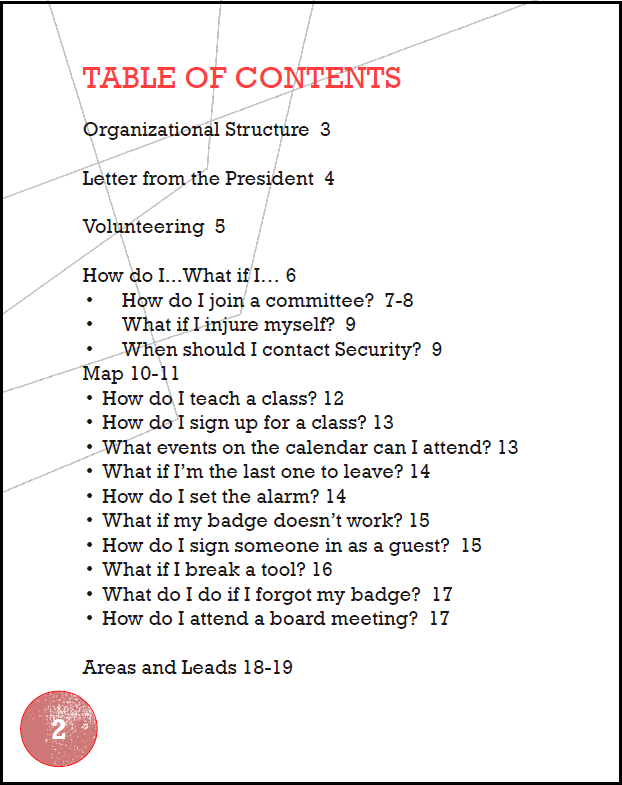
Table of Contents: What to include, and where (and why)?
Because MakeICT is entirely composed of, and run by, volunteers, it’s important to emphasize this fact from the outset, giving new members a sense of what “volunteering” means.
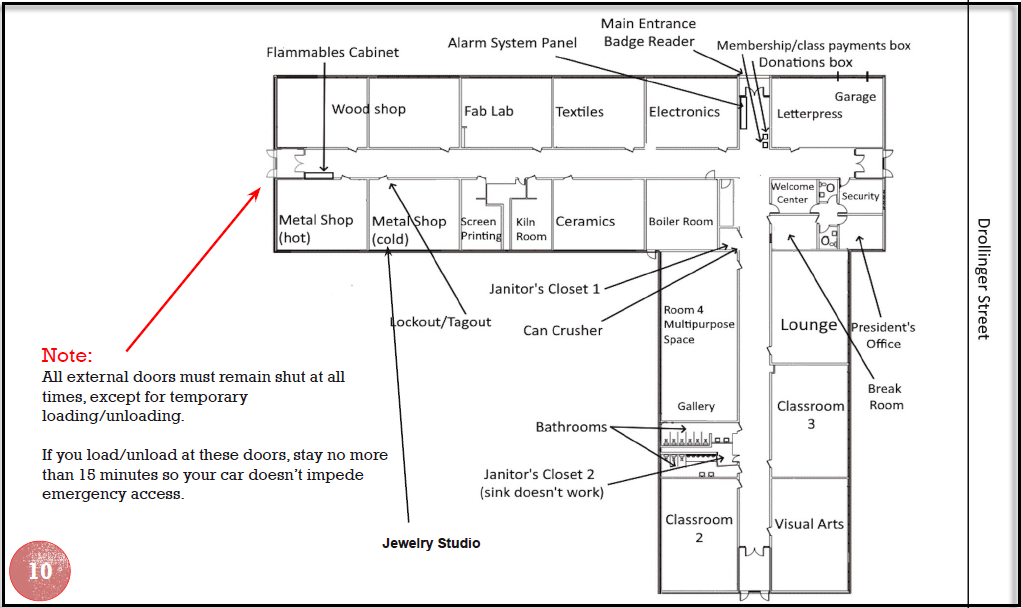
The next most important thing is the map, because MakeICT is a converted school and it can be easy to get lost, so the map gets the centerfold on pages 10-11.
The FAQs comprise the “meat” of the booklet– they’re its entire raison d’être.
Lastly, the list of areas and contact information for the leads is included as a resource.
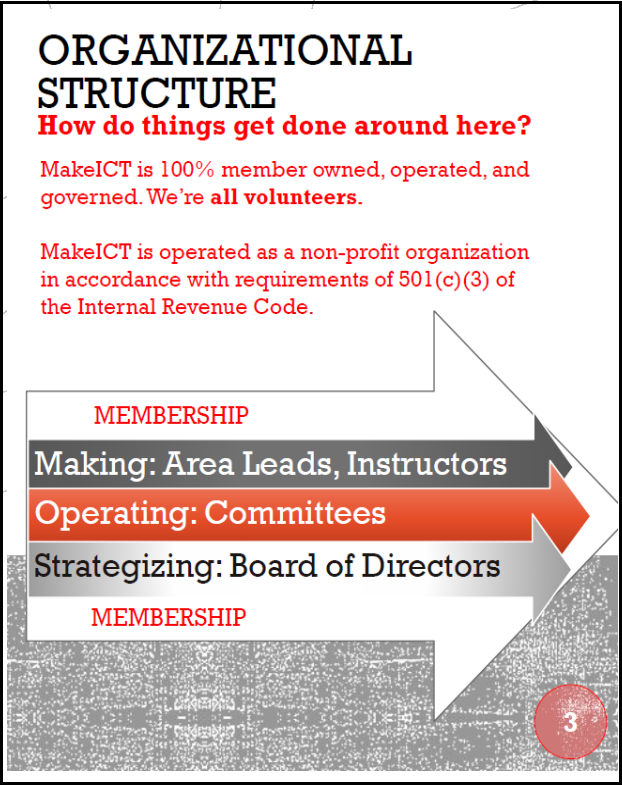
My mind is regularly blown by how an organization run entirely by volunteers manages to hold together from day to day, let alone expand and outgrow two prior facilities before moving into its current location.
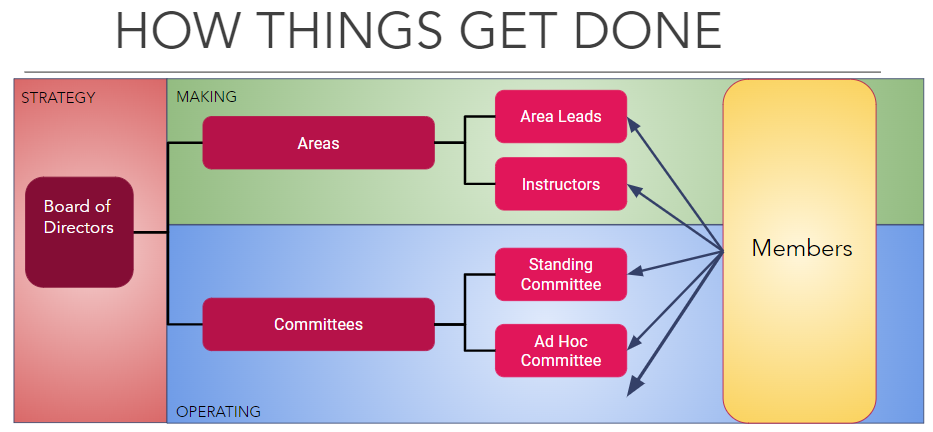
I reworked the diagram showing the components that contribute to MakeICT’s trajectory. Below is the preexisting version, which I found confusing and too complex to convey the idea that membership encompasses all of the engines that power the organization.
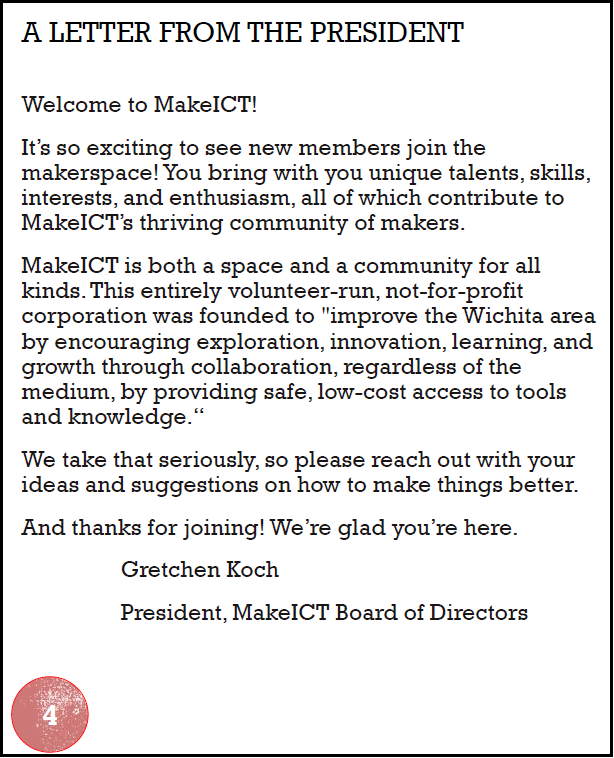
Practically speaking, a letter to new members from the sitting president means that the next president will need to swap in their own message next June, and that we can’t just print a billion of these guides with the expectation of using them forever.
But I think it’s important for the president to represent the makerspace up front, in print– to literally speak for the organization, and communicate in a friendly but sincere way that all are welcome, i.e. to be the Friendly Guide.
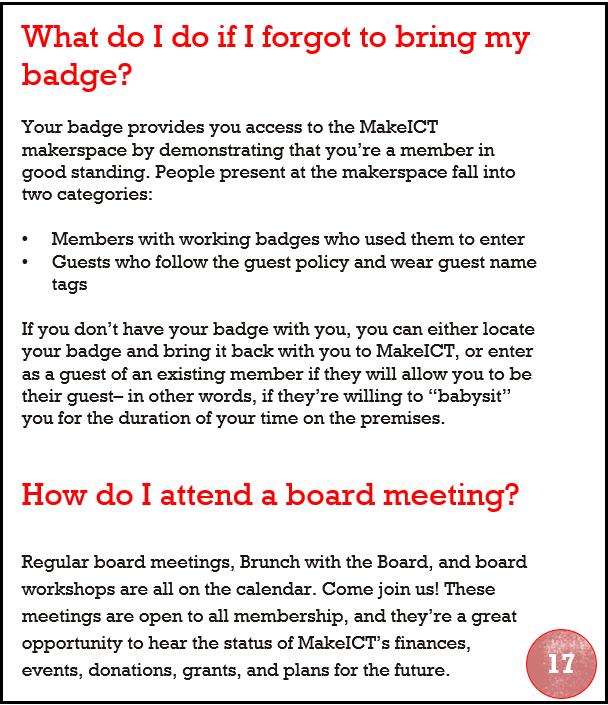
Most of the FAQs are in random order, and they all have the same look and feel, so I won’t go through all of them. However, it’s vital to have the “forgot my badge” question up front. It’s a leap of faith to allow someone 24/7 access to the space, and members justify that level of trust by acting as individual, informal security guards.
This is the Friendly Guide chiding members that they don’t get to skirt the rules, but giving them an “out” if a member with a badge agrees to “babysit” them (which I have done, by the way. It’s…boring, as babysitting often is.).
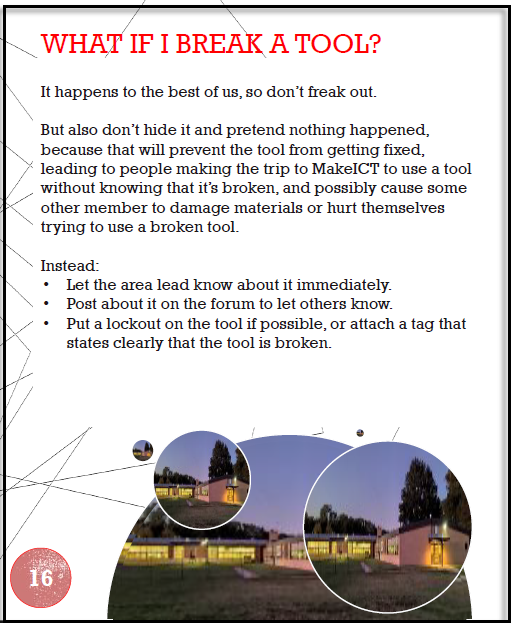
There’s also a huge amount of trust in giving unsupervised access to a broad variety of hand and power tools, some very dangerous and/or very expensive.
This is the Friendly Guide’s voice again, threading the needle by using a friendly and reassuring tone, deflecting the potential of shame to convey a necessary point about caution and responsibility.
The Friendly Guide wants you to have fun exploring how to powder coat metal– but not to drive you to the hospital because you electrocuted yourself while powder-coating.
We don’t have a “You are here” style map at the front entrance, though perhaps we should. There are also no staff watching over the Welcome Center, so members and guests are pretty much on their own to navigate the space. However, there is a computer at the Welcome Center, where you can do the following:
- Fill out a waiver, which everyone must do before spending time in the building.
- Fill out and print a guest badge, which guests must wear for the duration of their visit.
- Check in students for classes and verify that they’ve signed waivers and paid the course fee.
That computer is hard to miss and space is limited, so I opted to point out that the main entrance is where the alarm system is managed, and where you can drop cash and checks to either donate or pay membership fees in person.
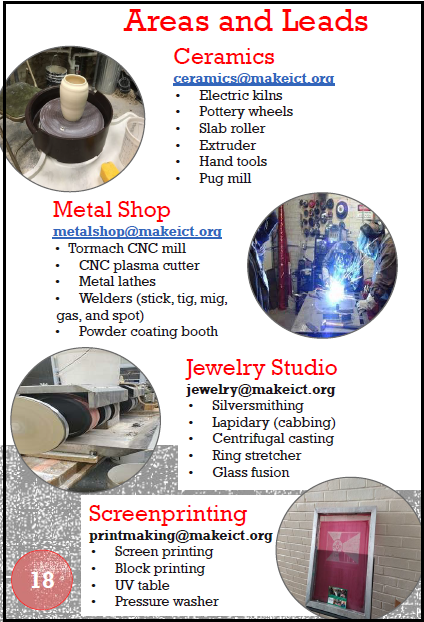
Each area has its own email address so that members don’t have to memorize the lead’s name. Lead turnover isn’t frequent, but it does happen, so this way the guide won’t need to be updated each time.
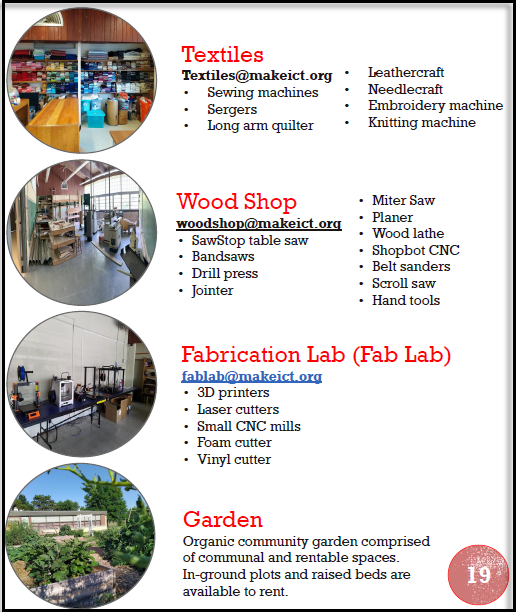
It can be tricky to remember what major tools exist, and what classes are offered, in each shop, and this handy list makes it simple to entice your friends to become members as well. There’s something for everybody!
Where to go from here?
Videos
The most immediate application of these design principles is creation of videos. The membership committee lead is also a Director At-Large, and he and the Vice President have expressed interest in creating videos– potentially one video per area, ideally with the area leads providing brief (30 seconds to a minute and a half) overviews of their respective areas. These videos can then be put to use in several contexts:
- The videos could be uploaded to the wiki, so that–for example–visiting the Textiles wiki page would give a member the option to watch a brief video explaining what tools and materials are available, and which classes are taught in that area.
- The videos could be included in a Maker Monday or orientation presentation, to give prospective or new members a chance to learn about a given area without area leads having to be on-site to personally give the same overview of their respective areas that they’ve given every other Monday, as long as they’ve been an area lead.
- The idea of area-specific overview videos was sparked by a Director At-Large who is disabled, as a means for disabled members to become acquainted with various areas without having to make the physical trek between them, down the halls and back, and standing/sitting in the room for the duration of time required for the area lead to give an overview.
Web Site and Wiki Content
The Secretary of the board and some former members of the board are engaged in a project to revamp the site and the wiki, providing useful information that is easy to understand and navigate. With the web site in particular, the content is public-facing and should project the Friendly Guide persona and use its voice to communicate with curious prospective members, and- crucially– members of external organizations who seek to partner with MakeICT.
Internal and External-Facing Presentations
MakeICT partners with external organizations in different ways, from providing an event venue for community groups, to participating in offsite events to publicize MakeICT and provide opportunities to children to become “makers” themselves, to giving presentations for outside groups on what MakeICT is and does. These presentations will benefit from a unifying set of design principles that ensures consistency in content messaging across events and audiences.
Looking Forward
MakeICT was incorporated on December 13, 2012 as a Kansas not-for-profit corporation. It has maintained that rag-tag sense of spirit throughout, but there’s no necessary conflict between maintaining that image and creating more refined messaging that emphasizes community and innovation. For that matter, there’s arguably a symbiotic relationship between the two, and it’s embodied in the persona of Friendly Guide. The principles of being Collaborative, Dynamic, and Accessible can guide MakeICT’s mission to become a welcoming community that celebrates scientific and artistic exploration.
Being a maker is inherently exhilarating, because it means engaging in creation– bringing something new into the world. Creating content about the makerspace is part of that, because it’s also a form of making.
MakeICT has a huge appeal, but that’s not something to take for granted. You don’t want to just make friends, after all, but to stay friends. Creating content for a thriving community, to help it thrive, is an ongoing process that will only improve as we go, for as long as we’re driven to make that happen.